I am so proud to be awarded First in Place in Little Peeps for, “A Tall Tale About Dachshunds in Costumes!” Thanks to ALL involved to make the Chanticleer Conference and Awards top notch!
Thank you for this official notification! The excitement continues!! I am so thrilled and honored to be the Grand Prize Winner of the inaugural Nellie Bly Award for Investigative and Journalistic Non-fiction!!! I am so grateful for you and Chanticleer for all that you do for authors. It is very much appreciated.
You can bet that whether you return to the office next fall, or stay as work from home (WFH), or do a mixture of both as we do here at Chanticleer, Zoom meetings will continue to be a part of normal life.
Authors and publishers will particularly need to Zoom or video conference to stay in contact with their readers and as a major component of their book promotion strategy and author branding.
Zooming and video conferencing is a terrific way of reaching out to book clubs, reader fans, book launches, and author events.
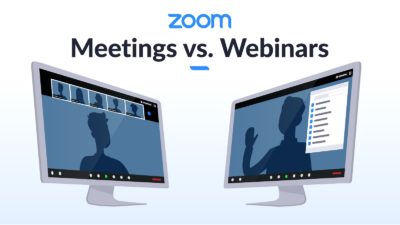
Are You Trying to Access a Zoom Webinar or Zoom Meeting and What Are the Differences?
First, determine if you what you are trying to access is a Zoom Webinar or a Zoom Meeting as they are different in how to access them. Webinars tend to be more secure and are also used for Zoom events that are expecting more than 50 attendees.
Zoom Meetings
If it is a Zoom Meeting, all you will need to is the link from the host of the meeting and, and in some cases, perhaps a password that the host will also share with you via an emailed invitation to the specific meeting.
Zoom meetings are perfect for hosting more interactive sessions or if the audience needs to be in broken out into smaller groups. All attendees can see who the other attendees are along with the host and are able to interact with them via the CHAT feature on Zoom.
All attendees can mute and unmute their audio at will.
All attendees can share screens with other attendees.
You do not have to have a Zoom account to attend at Zoom meeting.
Meetings are for collaboration and discussion along with visiting others. We use Zoom meetings for our Roost Happy Hours.
Zoom Webinars
You do have to have an account to attend and accept a ZOOM webinar invitation.
Zoom webinars require users to have an account with an email address and password with ZOOM.us
Use this address when registering for Zoom webinars.
Why use Zoom webinars instead of Zoom Meetings?
Webinars can allow for panelists – not just host and co-host.
Webinars can be accessed by 100 to 10,000 attendees depending on the host’s Zoom license.
Only the Host and Panelist can see who is attending.
Webinars are more secure than meetings.
Only the Host can unmute or mute attendees and appoint panelists.
Only the Host or Panelists may share screens.
Webinars may allow attendees to interact via Chat, Q & A, and answering polling questions.
Zoom webinars tend to be used for lectures, conferences, and larger audiences. Think of the zoom webinar more or less like an auditorium. Meetings are more like sitting around a conference table or participating in a classroom.
Zoom webinars are available through Zoom as a paid add-on by the host.
How can I tell if I have registered with ZOOM.us? — VISIT www.ZOOM.usand try to login. If you cannot, you need to set up a ZOOM account.
It bears repeating…
Why is this important: You will need to have an email address that you use to login to ZOOM.us for webinars. You do not need a Zoom account for meetings.
Frequently Asked Questions:
Do I have to pay to use ZOOM? No. Only hosts have to pay for webinars applications. Zoom is free to users—meetings or webinars. Although, you may have to pay to register for the event that is being Zoomed to receive the password, login, and invitation.
Can I stop and take a break once I log-in?Yes, all you have to do is click the login in again to the daily email invite from ZOOM to access the particularwebinar again.
Do I have to register for individual sessions or just show up? No, like attending a real conference, you may pop in and out at your convenience.
How do I log back in? It is easy. All you have to do is click on that day’s link that you will receive in your event’s email invitation.
Will I be able to ask questions of the presenters? Yes, there is a way to ask questions and to chat with other attendees during the sessions.
How do I ask a Question? Hover your pointer (aka mouse pointer) over the bottom of the ZOOM screen, you will see a menu popup that has Q & A, CHAT, Video, Polls, Video, Mic, etc. Click on Q & A. You will see the Q & A form pop-up. Type your question here.
What is the difference between CHAT and Q & A? The Q & A will be monitored by the session moderator. The CHAT feature is not monitored by the monitor or presenter. This is akin to passing notes in class or texting with your fellow attendees. GO ahead and chat! It is fun to do! And this time you won’t get in trouble. Chatting is like passing notes in class with no worry of getting caught.
And, we know you all will want to attend the2021 Chanticleer Authors Conference #CAC21 virtually on Zoom. VCAC 21 will be held as a Zoom webinar and not a Zoom meeting.
You also might be interested in joining Chanticleer’s exclusive Roost club where authors mingle, mix, and share their expertise and knowledge. It is comfortable and convenient place to take a dip into the Zoom pool.
Leading me to the next item: Zoom etiquette and handy tips.
The Roost at Chanticleer Happy Hour Spring 2020
1. Set up Your Space
If your computer can manage it, virtual backgrounds are always acceptable. You can figure out how to set those up here. See a favorite background of David’s below. There are thousands to choose from. It is up to you select or create the background for your particular purpose. It will be a different one for “visiting with friends and family” than for work or presenting to a book club group or for taking a virtual Zumba or Yoga class. Varying your backgrounds (even using real places) for Zoom meetings will help set the stage for the purpose of the Zoom meeting.
David B.’s fav screen background for Zoom. It is out of this world!
However, some people, like myself, don’t have a computer that lends itself well to virtual backgrounds. I have good news! Most people don’t have professional in home offices, and that’s understandable, so no one will be upset if your bed is floating somewhere behind you. Generally, keeping the space behind you neat and, if you can, free of doors where people who you live with might make a guest appearance. If you have objects that relate directly to your work—books, advertising swag (Chanticleer Blue Ribbons perhaps), etcetera—you can always have that displayed prominently (nothing wrong with a little subliminal advertising). Kiffer advises dressing to promote your brand when promoting your work or participating in publishing/writer events.
Lighting
For lighting, it helps to have one overhead source of light, and then another, brighter light source, set at a forty-five-degree angle to where you’ll be sitting. This helps light you in a way that prevents you from being washed out since you’re lit from multiple angles, and while one side is a little more shadowy, you’re clearly not disappearing into the dark.
And try to keep all of your lighting the same. Most light bulbs come in a blue tint, white tint, or soft white (tungsten, which has an orange tint). Pure white light is the best.
Make sure that you are not backlit (sitting in front of window on a sunny day) or with a lot of lighting behind you. If you are backlit, your video image will disappear. You will appear as a silhouette or a shape.
And some people use professional lighting just for videoing to make themselves look their best. A popular device is a “light ring” that is setup behind the video camera that you are using (whether it is like mine and is situated in my laptop or a separate camera that is connected to your computer.
The main thing is to reduce the amount of light behind you and increase the light shining on you. Just think about how talk shows are always brightly lit even if the air in the evening. Light on you makes wrinkles and aging shadows disappear and generally is more flattering to almost everyone.
State of the Art Brownie Camera!
Lighting should be in front of you and behind the camera. Just like using an old Brownie camera.
2. What to Wear
There’s a certain casual ease to working from home, which is wonderful, but it’s worth keeping a couple of things in mind. For example, when we stand up, we tend to naturally bend over a little bit first. Normally this isn’t a huge problem, but when I’m wearing my billowy pirate shirts for “Talk Like a Pirate Day” everyone’s treated to a look at my navel, which isn’t quite the nautical theme I’m going for. [David B]
You may want to consider to wear solid colors or lightly patterned tops. Take your cue from news announcers and talk show hosts to look your professional best.
For authors, if you are Zooming with a book club or an author event, be sure to promote your author brand with what you are wearing. Treat the video call just like if you were having the event in person.
Also when standing up, whatever you’re wearingon your legs might be visible. Dark sweat pants tend to look more or less like slacks, so there’s still no huge pressure to be wearing jeans.
While it’s great to know how to set up the background and how to possibly dress, one thing that I cannot overemphasize is that you never owe someone a visual look into your home. Zoom fatigue is real, and sometimes we just need to know we aren’t presenting to be on camera twenty minutes after rolling out of bed. If you can manage it, people do like to be able to see who they are speaking to, but if you can’t I truly believe Miss Manners would suggest a simple “I’m sorry, but I’m just not presentable now” should sate any questions about last minute Zoom meetings.
How to Appear at Your Best
Easy photogenic things to do to help you look your best while Zooming
If you are using a laptop with the camera centered at the top of the monitor screen, Kiffer suggests setting it on a stack of books to that the camera is more level with your eyes or perhaps slightly higher so you tilt your head back a bit instead of down. Doing this will help in reducing the look of double chins and undereye shadowing. Plus, it will help you hold your head high! If you need to reach the keyboard, just use an independent keyboard that is within reach along with a mouse.
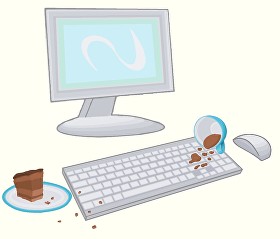
JellyComb make wireless, foldable, lightweight keyboards starting at $29 topping out at $59. They even have one that you can use with your smart phone! ($49). And while you are checking them out, look at their mice products. Kiffer found out about this company when she trashed her laptop’s keyboard with one too many coffee splashes and cookie crumbs. Her computer was working just fine and so was the monitor. JellyComb’s combo package of mouse and keyboard for $29 had her laptop back up and working pronto! Now she uses the equipment with her new laptop for video calls.
2. Be careful about “Talking Head Syndrome” — Position your camera and/or laptop far enough away from you so that at least your head AND shoulders appear in the video. If the camera is too close you will look like a huge floating head bobbing around to the persons on the receiving side of the videocall.
3. Zoom has a feature called “Touch Up My Appearance” —it really does! It smooths out the complexion. You can find this feature in Settings. Toggle this option back and forth to see the difference.
Your life will become a lot easier if you master a few Zoom hotkeys. You can read directly about all of them here, but I’m going to cover my favorites in this section. Now, these can feel a little frustrating, because you will need to make sure your Zoom window is selected before using any of them. This means you’ve clicked somewhere on the Zoom window before using the hotkey.
The first one worth noting is just Alt, which shows you the possible buttons you can click without needing to mouse over your screen. This means that as you try to use the other hotkeys you’ll be able to visually confirm they’re working by whether or not a red slash has appeared across the associated icon.
Alt+Alets you mute immediately. What Alt+Ameans is that you hit the Alt and A keys simultaneously. The next numbered section will talk about muting and unmuting, butusing Alt+Ais a great way to quickly turn of your sound when you see the dog running to the front door ready to bark and deafen everyone in the meeting.
Fido serenading the other Zoom attendees
Is your roommate just heading out of the shower walking absentmindedly into your video screen? Alt+Vwill quickly shut off your video. It’s also handy if you want to eat while the meeting is happening and don’t want people treated to a show of watching you chew.
Poky Internet? Turning your video off can also be a great way to help improve the quality of your internet.
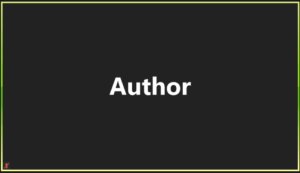
What will the other attendees see if I turn off my video camera?
Your name that you used to register with ZOOM. That is it.
You without your video camera on during a Zoom meeting. Replace Author with your registered Zoom user name.
I don’t use any of the other hotkeys in meetings except for these three. Alt, Alt+A, and Alt + V. There are several others that you can learn more about on the ZOOM.us website if you are interested.
4. Mute Yourself
You can always start off by saying hi, but for the most part get comfortable muting and unmuting yourself. If you’re not talking, the best course of action is to stay muted. I have a habit of talking to myself a little or humming to myself when in Zoom meetings, maybe occasionally needing to burp a little bit. Having myself muted allows me to keep most of these things hidden rather than embarrassing myself by any unknown sounds.
I also find that leaving myself on mute helps me be more thoughtful when I choose to unmute myself rather than when I can speak at anytime. It is considered to be excellent Zoom etiquette to mute yourself except when you are addressing the rest of the group.
The reason for mute and unmute on Zoom is that only one user at a time will be broadcasted over the audio. For example, if you do not mute and you leave to refill your coffee cup and your cat or dog begins talking (meowing or barking) they will have “the floor” of the Zoom meeting. If a phone rings during a pause it will be picked up.
And David and I can’t begin to tell you how many times that we have inadvertently heard private conversations during breaks when people place calls or chat with roommates and had no idea that everyone on the ZOOM meeting could hear the conversation—whether we wanted to or not.
Mute and Unmute is your Zoom friend!
5. Use the Chat
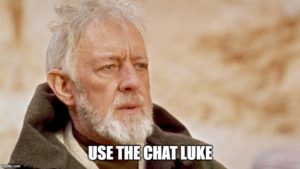
Now you’re muted, and someone is making a excellent point that you can absolutely relate and add to! Interrupting in Zoom can be tricky, which is where the chat option comes into play. Now, it’s good to know that the host can often save the chat and even see private messages, so make sure that no matter who you type it’s something that won’t embarrass you or hurt anyone’s feelings if the whole group sees it.
Chat can be a great way to show you agree with someone “+1 to Kiffer’s comment!” or to share a resource that you think might help with part of someone’s question.
If you do want to add to the discussion, raise your hand or if it is a happy hour or casual situation, wait your turn and then unmute. Just like you would do in an in person meeting. Don’t interrupt, but do add to the conversation. And just like at cocktail party, or luncheon, don’t be the one who dominates the conversation.
6. Consider the Ethernet
To improve your internet connection consider using an ethernet cable for a direct connection to the internet, and you can try turning off your video if you still have connectivity issues. Remember that Ethernet cable—the blue one?
The cable that was used before wifi internet…long ago and far away…
As said before, you can also always turn off your video if you’re having connection issues.
7. Look into the CAMERA
Looking into the camera will give your viewers the appearance that you are making eye contact with them. It is hard to do at first and will take a conscience effort, but it will make a big difference in how you are perceived in Zoom meetings by appearing attentive and interactive especially if it is a small Zoom meeting.
8. Sipping is okay. Generally speaking, eating is not.
For most Zoom meetings, unless it is an actual virtual dinner going on or a virtual party or some other event where eating is a focus of the meeting, eating while the video camera is a definite no-no. If you have to eat during a Zoom meeting that is not centered around food, then please turn off your video camera while you eat. Perhaps you can get away with popping a piece of cheese or chocolate into your mouth…
If it is an event where eating is part of the meeting, please make sure that your video camera is even further away from you—perhaps videoing you from the waist up. And definitely mute while you are chewing and slurping!
As with most meetings in person, drinking coffee, tea, water, or any kind of beverage is okay. We definitely encourage drinking the beverage of your choice at the Roost Zoom Happy Hours.
And now for something fun!
Which Zoom LEGO Figure Are You?
Thanks to Diane Garland for the meme!
For a look at what not to do or how to get invited to less meetings if that is your plan–LOL. Consider watching the following video from Saturday Night Live. 5 minutes 48 seconds. It’s a classic! And I think it is hilarious how Henriette and Nan got out of future Zoom meetings. Smart!
Starting from here, you’ll have most of what you need for your basic Zoom use. Check out our upcoming Chanticleer Writer’s toolbox article on advanced video conferencing techniques for authors and publishers here.
The Royal Air Force struggles for control of the British sky, facing down the daunting numbers of Luftwaffe aircraft across the English Channel. At the forefront of these battles, the Royal Air Force’s young pilots fight to survive under mounting pressure and deadly German Messerschmitts.
Where Eagles Never Flew follows the Battle of Britain as squadrons of the RAF must make do with undertrained pilots and little sleep if they want any chance at repelling the Luftwaffe bombing raids that become more and more frequent as the battle rages on. Operations rooms plot and direct the paths of aircraft, with members of the WAAF—Women’s Auxiliary Air Force—fielding waves of communications to and from the skies. Robert “Robin” Priestman flies on the front lines, dedicated to the fight despite weeks of unending tension and the great challenge of keeping his squadron awake and alive despite sortie after sortie.
Helena P. Schrader brings a wealth of knowledge to her story to make this one of the most authentic and well-told stories of the Battle of Britain we have ever read. The planes practically come alive in detail and clarity, both on their own and through their pilots’ maneuvers. Hurricanes, Spitfires, Messerschmitts, and more play out the breath-taking dogfights and bombing runs. Schrader takes time to show the small, vital differences between them all.
This realism extends to the characters themselves. The pilots, Ginger and Banks, worry what their squadron thinks of them and whether they will ever belong with the more experienced pilots who go into battle beside them. Emily Pryce, a volunteer at the Salvation Army, struggles with her pacifist ideals even as she falls for Robin, who risks his life every time he climbs into the air. The characters come to us as individuals who are authentic, relatable, and unique.
Schraderbalances tension expertly between thrilling dogfight scenes and the more peaceful moments. Numerous perspectives tell this story, showing varied and sometimes deeply contrasting views on the Battle of Britain. From RAF pilots’ eyes to the Luftwaffe airmen, Schrader fleshes out her story with style. At the same time, she uses scenes of aerial battles and daily life as an opportunity to build a sense of impending danger, which becomes an all-encompassing nail-biter as the pilots of the RAF fight for victory.
Where Eagles Never Flew doesn’t shy away from either love nor loss and, in fact, takes the opportunity to sit with the characters in their pain, their grief, and their frustration. The morale of individuals and squadrons – even the whole RAF is palpable on the page. What ties this story together is the incredible resilience and camaraderie of the pilots, airmen, and WAAFs, despite the danger and death looming over them.
Schrader delivers a winning WWII account of the Battle of Britain that resonates with authenticity and will quickly find a place of honor on the shelf. In short, here’s a historical fiction novel that readers will find hard to put down. Highly recommended.
Artificial intelligence (AI) is an increasingly crucial technological development in human affairs, both for its enabling and disruptive powers. Revival,the second volume in the Gaia Origin series, gives us an astonishing glimpse of what role AI could play in the future of the human race. It’s both scary and exhilarating.
A small group of people have escaped a near-dead Earth and traveled lightyears to reach a new Earth-like planet named Gaia by its human visitors. Chief among them is Evan Feldman, his wife, daughter, granddaughter, and a few Feldman extended family members. All of them were the masters of an Earth-bound corporation called Telogene, a multi-billion-dollar megacorporation dedicated to extending the possibilities of human life with revolutionary medical science and technology. Their transportation across the universe on board the Kutanga. The spaceship is large enough to contain some four thousand humans in suspended animation awaiting the day when the human race can establish a new home now that the home planet was all but destroyed by a disastrous and deadly plague.
But here’s where the book takes an unexpected, radical turn. It seems that the passengers, as we would generally think of them, are all dead – that is, their biological, physical bodies are all gone. Instead, an AI super-intelligent computer named Aneni cares for and keeps the essence of these humans alive. Instead of natural bodies, they have become androids in humanoid form. Virtually all human functions have been duplicated except for the need to eat. The most remarkable is their brain functions, all of which have been “recorded” to function in their new bodies. Who they were as humans, their ability to think, feel, remember, love, hate all remain intact. Every function, including their thoughts, is monitored and potentially controlled by Aneni. Including the ability to modify their thoughts and feelings if the computer believes it would contribute to their well-being. If they become too troubled, they can be digitally “rolled back” and the troubled portion of their lives eliminated.
So, are they still human? And what happens when they realize the computer Aneni is more akin to them than human beings? And who can tell when even their memories are not reliable, and, instead, a composite of other people’s memories kludged together to reconstruct a human being whose brain was too damaged when their earthly body died? What happens when they realize their essence is as editable as any other digital data: able – like any other data – of being backed up, or erased altogether?
Before the story ends, readers will experience a fully imagined, detailed alternate world. Eyes will be opened up to an exploration of DNA and brain science, and even the theories of relatively obscure writers such as Zecharian Sitchin and Erich von Daniken, both of whom hypothesized that we, the homo sapiens of Earth were created or planted there by alien astronauts.
Some sci-fans may see echoes of the book Altered Carbon by Richard K. Morgan, a novel that allowed a human’s essence to move from body to body. The recording and manipulation of that same essence in Gaia: Revival takes that manipulation a significant step further in its creation not only of digital humanity but in a benevolent AI responsible for protecting that humanity at a cost measured by the very concept of what is a human being.
Don’t expect this book to deliver a collection of sci-fi shootouts. Only a few characters stand out, notably Evan, the founder of Telogene, who yearns for decades to see his long-dead wife brought to life, and their daughter Lily. She best expresses the anguish of trying to come to terms with this extreme version of being human. If you enjoy a thinking person’s science fiction, more in the tradition of Isaac Asimov than Robert Heinlein, this is a book for you.
McWhorter has pulled off something original and rare. This is science fiction at its speculative best. The issues it raises will remain with you long after you’ve finished reading the book. Highly recommended.
Please enjoy Chanticleer’s 12 Must-Dos for a Happy and Productive 2021!
Well…maybe not “enjoy” as there ere is a lot of work to be done to complete this list that will help you have a successful and productive 2021 year for your writing career.
Twelve Must-Dos for Authors and Publishers for 2021!
At Chanticleer, as many of you know (especially if you have attended a Chanticleer Authors Conference or VCAC), we do things a little differently. Adapting the theme of “12 Days,” we are bringing you an author checklist, things for your author development and business.That’s why we’re here!
We suggest tackling one Must-Do a month in any order that you chose except for the first three. Also, we will have a handy checklist to print out at the end of the series for your author lair to help keep you on track.
We wish you a successful and productive year for achieving your publishing goals! ~ The Chanticleer Reviews Team
On the First Blogpost of 2021, Chanticleer gave to me…
Advice on how to care for arguably the most important tool in our toolbox. Care to guess what it is?
We will give you a hint. It stores your intellectual property, aids in getting words from your brain into little alphabet letters that add up to a story. And for most of us, enables us to create what we love most—books and stories!
Your hardworking computer—whether it is a desktop, laptop, pad, or your own Mad Maxx creation of technologies, deserves a little bit of attention.
Computer Care for Authors and Publishers
We often forget how important it is to maintain a clean computer on the inside and outside, even if our desk and the surrounding area is spotless. Here are a few tips to get you started. And, yes, this is your annual reminder!
1. Clean your keyboard
If you don’t want to be like the person in this XKCD comic, you might want to clean your keyboard. Luckily, this is an easy task you can do once a week. Or at least once a year…
Wipe it down with a slightly damp microfiber cloth, dry it with a different cloth, and then use a disinfectant wipe or a cloth just damp with rubbing alcohol to finish it out (do not use bleach!). Probably best to do this when your computer and keyboard are unplugged because keyboards are actually quite delicate inside.
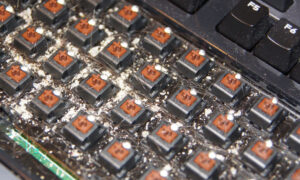
Gross stuff under the keycaps. Maintenance will prevent your computer keyboard from getting to this state.
Also, as the character in the cartoon that you clicked on above, turn your keyboard or laptop upside down and give it a gentle shake or two about once a week. Gentle being the operative word. You may be surprised to see what falls out of it.
Especially if you have a cat for an intern. Here’s looking at you, Janet Oakley!
Janet’s intern, Kinky Boots, hard at work.
We’ve even seen Argus vacuum his keyboards. But, that is up to you.
Really consider giving this a try. Your keyboard will feel cleaner. All the bits of dust and crumbs of food you’ve learned to ignore will be gone, and it will be such a pleasant experience for your hands.
Clean your screen
We’ve all had that experience of editing and suddenly an errant apostrophe or period appears where there ought not to be one. We click on it to edit it, but something about the way it appears doesn’t quite make sense, and then we can’t delete it from the page. That’s when it clicks. The screen is just dirty.
To clean it, a microfiber cloth is always the recommendation. Always dab any cleaning solution (Windex and/or a little bit of mild soap and water are recommended but check before trying anything else!) onto the cloth not directly on the screen itself.
Password Management
6.85 million passwords are hacked each day or 158 every second. INC magazine 2018 — this number has gone up substantially since 2018.
The concept of a healthy mind healthy body can be applied to healthy software healthy hardware. Now that you have a clean machine, make sure you have a good password system. While two-factor authentication (such as when you need to type in a code from your phone or email as well) can seem like a hassle but is also another key factor in security. For reliable password managers, see the following.
and so do numbers, characters, and upper and lower cases matter it comes to passwords
We here at Chanticleer use Keypass – but beware!
Make sure that the password that you decide on is something that is memorable to YOU. The only other person who should have it is your estate executor or life partner or someone that you would trust with your bank accounts and credit cards.
If you happen to momentarily forget your master password, because someone was talking to you while you were creating it – you will need to start over. There is no way to recover your account, unless you happen to find the random piece of paper you scribbled your master password on… Experience is a cruel teacher… #justsaying
IMPORTANT: DO NOT USE THE SAME PASSWORD for your business/work accounts and your personal household accounts or publishing accounts. This is how hackers can take people down by infiltrating a business password –harder but to do but then they have access to so many personal accounts because so many people use the same password for home and personal accounts.
But after hearing from several authors whose computers were hacked, bank accounts taken over, ransomware remotely installed, and other malicious activity that drained their credit card balances and credit ratings, and stole their intellectual property (as in books – published and unpublished), do not go another day without a password manager.
There is no excuse. There are several excellent password managers that are FREE or as little as $36 per year.
For more information here are three links to articles about password managers from reliable sources:
Here is a link from C|Net on the Best Password Manager to Use for 2021.
[Not from Editor: Do NOT proceed to this step until you have your Password Manager project all sorted out. ]
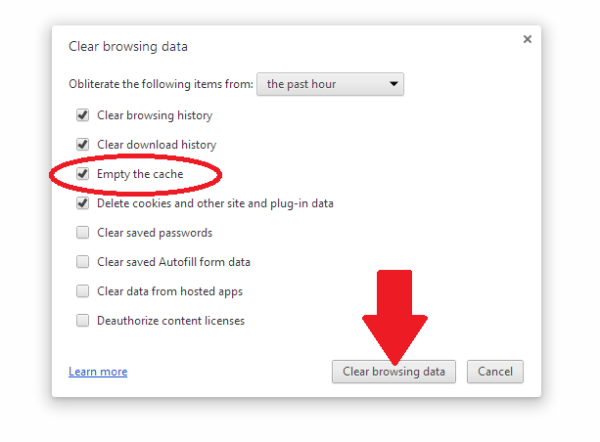
As we barrel forward into the future there’s so much that this has started to be a bigger and bigger project. Luckily, PC Mag has a great article about how to clear your cache on any browser. While this can be a little tricky to navigate, it can be worth it for the faster computer speed. PC Mag also focuses on the security risks of the cache, but chances are most of us don’t have to worry too much about those.
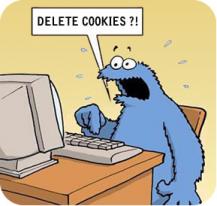
WHY SHOULD YOU CLEAR YOUR CACHE from COOKIES?
This is called “Browser Hygiene.” Really.
Browsers tend to hold onto information and like a clogged drain, after a while, it will slow down the speed and performance of your computer. Where your browser holds onto this information is in its “cache.”
A computer’s cache (pronounced ‘cash’) is also where websites that you visit implement their “cookies” —that bread crumb trail that rambles through the internet linking your computer to the websites that you visit. Each and every website uses cookies —even yours is guilty of it. It is the nature of the internet…
Have you ever had this happen to you?
“I don’t see the change. You said you updated on your web page.”
That is because your computer is storing and showing you the previous cache of the website it stored in its cache. You are not seeing the latest and greatest of the website that you are re-visiting, but a “shadow” of it.
To see the latest version of a website or web-post, you will probably have to clear your computer’s cache which will delete cookies.
Each computer and browser has a different system, so we advise you to search on your browser (i.e. google it) on how to do clear the cache for your particular system.
Also, you can decide how much of the cache that you want to clear. All of it? Only the cookies? Save the passwords? Clear the passwords? (the reason to do #2 Password Management first). It is probably a good idea to clean the password cache at least once a year. But remember that you will need to do a fresh login for each website that you visit. See #2 Password Management.
We clear our caches here at Chanticleer at least every three months or as needed to access new data from websites that we visit.
More info
Remember all that fuss about Data Privacy back in May 2018? Cache and Cookies are what that was and is all about. Here is a handy link to Chanticleer’s blog post about it. Are you ready for the GDPR?
Virus Protection
What are the odds of becoming a victim of a cyber attack? One in Four
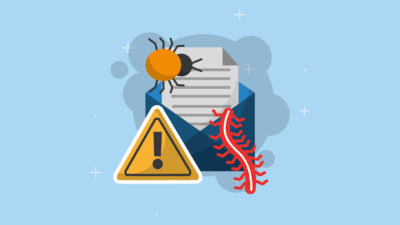
Any highly rated anti-virus and anti-malware program will update itself on a daily basis for latest hacking techniques, Trojan horses, phishing methods, ransomware, adware, spyware, and worms (I shudder to think about this one), and other malicious activity. This is different than updating the program itself. Is your antivirus program a couple of years old? If so, time to do some research.
Again, we’re going to turn to the experts here and look at CNET’s best Windows antivirus Protection. A good antivirus keeps your computer running in top shape, and it keeps your data and writing easy to access for yourself, so you don’t end up like one of the characters in Neal Stephenson’s Reamde who end up with all their files locked away by ransomware.
Now for some potentially bad news.Ifmalware has made it into your computer, you will need to have it professionally removed or contact the family and friends computer geek to save your computer and your sanity. If you are computer handy, then you have probably already taken steps to rid your computer of it.
The scary thing about malware is that once it has infiltrated your computer, it may be hard to detect even by anti-virus protection. That is how sneaky and under handed malware can be.
Some symptoms that your computer may be infected with malware:
Your computer is slowing down
Your computer crashes more often or “locks up”
Your friends and contacts receive strange messages from you
Suddenly you do not have any storage space available
Your homepage changed itself without you changing it.
PUPs show up. These are Potentially Unwanted Programs that have infiltrated your system when you give your consent to install additional tools on your computer. We think “barnacles” would be a better name.
Make sure that your computer (and smart phone) has the latest anti-virus and anti-malware programs protecting it.
Now for some definite good news!
Highly rated by independent and professional reviewers of Anti-Virus and Anti-Malware programs are available from free to $59 a year. A small price for piece of mind.
Don’t think that it can’t happen to your computer. Computer viruses and malware are prevalent and widespread. Once they find a home, they tend to go systemic in a very sly and under-the-radar kind of way. Your screen will not flash or start posting pictures of Moriarty when your computer has been invaded. Today’s hacks tend to be silent but deadly.
That’s what we want to see! You are safe!
Back up your files
Anything that you’d have trouble replacing it’s worth backing up. There are several places like One Drive, Dropbox, or Google Drive that will let you store files for free, up to a certain point. Luckily, external hard drives are getting cheaper all the time, and you can always do both. Whenever one of my free online drives fills up, I move anything I’m not currently using onto my external hard drive. I also make sure to periodically back up my writing.
This is such a great fear of mine that on my fire list (list of things that I need to immediately grab in case of fire) I have my external hard drive above everything else. I’m sure if you aren’t someone who has lost data, you know people who have, and I dearly hope to never have to worry about that.
Cyber Threats STOPS with each of US!
Once your computer and files are all protected, you’ll be free to write without any anxiety over your head. Like cleaning and maintaining most things, a routine means you only need to do a little work when the time comes to get everything squared away.
We hope these were handy reminders. We all get busy and can easily procrastinate about taking care of these mundane but vital tasks. We certainly do!
If there is something we should add to this blog-post or you have an experience that you would like to share or a question that you would like to ask about this blog post, please contact us at Chanticleer@ChantiReviews.com
We’d love to hear from you!
Thank you for joining us and please stay tuned for the next article on Marketing and Promotion.
The MARK TWAIN Book Awards recognize emerging talent and outstanding works in the genre of Humor and Satire Fiction. The Mark Twain Book Awards is a genre division of the Chanticleer International Book Awards (The CIBAs).
The 2020 Mark Twain Book Awards for Satire Fiction, a division of the Chanticleer International Book Awards is the first year that this division is offered as a book awards competition division in the CIBAs.
Chanticleer International Book Awards is looking for the best books featuring satire, humor, political ideology, parody, fantasy, and allegory or fable. These books have advanced to the next judging rounds. The best will advance. Which titles will be declared as winners of the prestigious Somerset Book Awards? We will announce the 1st Place Category winners and Grand Prize Division Winners at the CIBAs Banquet and Ceremonies April 21-25th, 2021 at the luxurious Hotel Bellwether in Bellingham, Wash. at the 2021 Chanticleer Authors Conference–whether virtual, hybrid, or in-person. (For contemporary and literary fiction see our Somerset Book Awards.)
I came in with Halley’s Comet in 1835. It is coming again next year, and I expect to go out with it. It will be the greatest disappointment of my life if I don’t go out with Halley’s Comet. The Almighty has said, no doubt: “Now here are these two unaccountable freaks; they came in together, they must go out together”. Mark Twain
Twain’s prediction was accurate; he died of a heart attack on April 21, 1910, in Stormfield, (Twain’s mansion where he lived from 1908 until his death) one day after the comet’s closest approach to Earth.
These titles have moved forward in the judging rounds from SLUSH pile to the 2020 Mark Twain Book Awards the 2020 SHORTLIST. The Short Listers’ works will compete for the Finalists positions.
The 22 divisions of the 2020 CIBAs’Grand Prize Winners and the Five First Place Category Position award winners will be announced at theApril 25th, 2021 Chanticleer International Book Awards Annual Awards Gala,which takes place at the Chanticleer Authors Conference that will be held in virtually Bellingham, Wash.
These titles have been Shortlisted for the 2020 Mark Twain Book Awards for Satire and Humor Fiction
Charlie Suisman – Arnold Falls
Stephanie Alexander – Charleston Green
J.P. Kenna – Toward A Terrible Freedom
Wayne Edmiston – UNfatally Dead: to thaw or not to thaw?
Haris Orkin – You Only Live Once
Elizabeth Crowens – Dear Bernie, I’m Glad You’re Dead
Alex J. Tremari – Dragoncast
Michael Aloysius O’Reilly – The Billionaire’s Daughter
Elizabeth Crowens – Dear Mom, The Killer is Among Us
Steven Mayfield – Treasure of the Blue Whale
St John Karp – Quake City
Ivy Cayden – Everything All At Once (Chorduroys and Too Many Boys?)
Ted Neill – Reaper Moon: Race War in the Post Apocalypse
Erik Segall – Not Yet
Lenore Rowntree – Cluck
K.N. Salustro – Cause of Death: ???
Conon Parks – Some Kind of Ending
Beth Wareham and Jason Davis –Hair Club Burning
Steven Mayfield –Treasure of the Blue Whale
Anastasia Fox – Trout Fishing in the Cretaceous
Adam Cliff – Exposure
David B. Seaburn – Gavin Goode
Lou Dischler – Too Pretty for a Hit Man
Good Luck to All!
These titles are in the running for the Semi-Finalists of the 2020 Mark Twain Book Awards for Satire and Humor Fiction.
The ShortListers’ works will compete for the Semi-Finalists positions. Finalists will be selected from the Semi-Finalists, and then all Finalists will be recognized at the VCAC21 ceremonies. The First Place Category Winners, along with the CIBA Division Grand Prize winners, will be selected from the 22 CIBA divisions Finalists. We will announce the 1st Place Category Winners and Grand Prize Division Winners at the CIBAs Ceremonies April 21-25th, 2021 live at the luxurious Hotel Bellwether in Bellingham, Wash.
Good luck to all as your works move on to the next rounds of judging.
The SOMERSET Book Awards recognize emerging talent and outstanding works in the genre of Literary and Contemporary Fiction. The Somerset Book Awards is a genre division of the Chanticleer International Book Awards (The CIBAs).
Chanticleer International Book Awards is looking for the best books featuring contemporary stories, literary themes, adventure, magical realism, or women and family themes. These books have advanced to the next judging rounds. The best will advance. Which titles will be declared as winners of the prestigious Somerset Book Awards? We will announce the 1st Place Category winners and Grand Prize Division Winners at the CIBAs Banquet and Ceremonies April 21-25th, 2021 at the luxurious Hotel Bellwether in Bellingham, Wash. at the 2021 Chanticleer Authors Conference–whether virtual, hybrid, or in-person. Looking for Satire? Keep an eye out for our Mark Twain Long List.
The following literary and contemporary fiction works have advanced from all of the entries to the Long List of the 2020 Somerset Book Awards:
Susan Dobson – Bomerang
Sara Stamey – Pause
R Barber Anderson – Jumeau
Gregory Erich Phillips – A Season in Lights
Candi Sary – Magdalena
Kathleen Reid – Sunrise in Florence
Ivy Cayden – Everything All At Once (Chorduroys and Too Many Boys?)
George M. Taylor – Careful by the Railing
Amy L Cleven – Look Up
Kasie Whitener – After December
T P Graf – As the Daisies Bloom
Patrick M. Garry – The Donor
Katherine Johnson – Grit & Granite
Jennifer Gold – Keep Me Afloat
Catherine Hamilton – Victoria’s War
Jessica O’Dwyer – Mother Mother
Lauren J. Sharkey – Inconvenient Daughter
Pierce Koslosky Jr. – A Week at Surfside Beach
Victor Acquista – Serpent Rising
John Danenbarger – Entanglement: Quantum and Otherwise
Julie Weary – Knowing Marjorie Thane
B. K. Stubblefield – Scars of the Past
Ted Neill – Reaper Moon: Race War in the Post Apocalypse
Dan V. Jackson – Rainbow Bridge
Kathleen M. Rodgers – The Flying Cutterbucks
Abbe Rolnick – Founding Stones
Liana Gardner – Speak No Evil
Susan Wingate – How the Deer Moon Hungers
Lainey Cameron – The Exit Strategy
Barbara Linn Probst – Queen of the Owls
Alice Early – The Moon Always Rising
Judy Keeslar Santamaria – Jetty Cat Palace Cafe
Joanne Kukanza Easley –Sweet Jane
Erik Segall – Not Yet
Steven Mayfield – Treasure of the Blue Whale
Dennis M. Clausen – The Accountant’s Apprentice
Ted Neill – Reaper Moon: Race War in the Post Apocalypse
Charlie Suisman – Arnold Falls
Good Luck to ALL!
Which of these works will move forward in the judging rounds for the 2020 Somerset Book Awards for Literary and Contemporary Fiction?
Congratulations to Donna LeClair whose manuscript The Proprietor of Theatre Lifetook home the Grand Prize for the 2019 Somerset Book Awards.


 I am so proud to be awarded First in Place in Little Peeps for, “A Tall Tale About Dachshunds in Costumes!” Thanks to ALL involved to make the Chanticleer Conference and Awards top notch!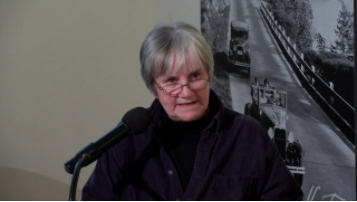
 It is an honor to be recognized. With all
















 The Royal Air Force struggles for control of the British sky, facing down the daunting numbers of Luftwaffe aircraft across the English Channel. At the forefront of these battles, the Royal Air Force’s young pilots fight to survive under mounting pressure and deadly German Messerschmitts.













 Don’t Delay! Enter Today!



 Thank you so much!